How it works
Save the places that matter. Get official warnings when they affect you. Know your family is safe. Get the home ready before a fire starts.
1
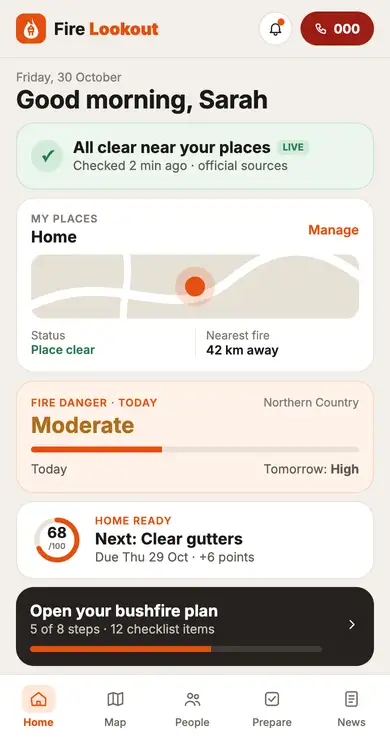
Save the places that matter
Add home, school, work, or your parents’ place. Set a radius and the warning level you want to know about. Fire Lookout watches those places for you.
2
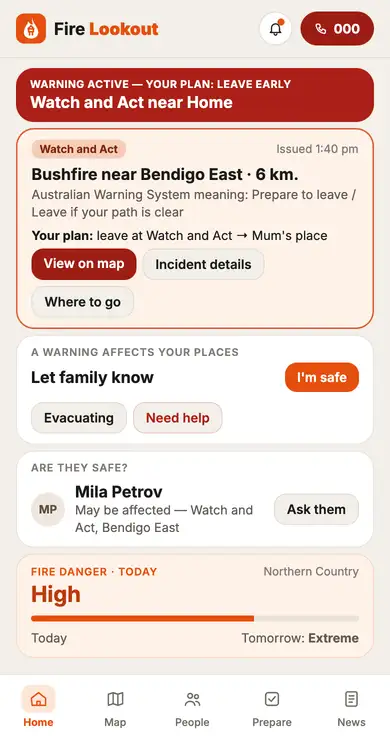
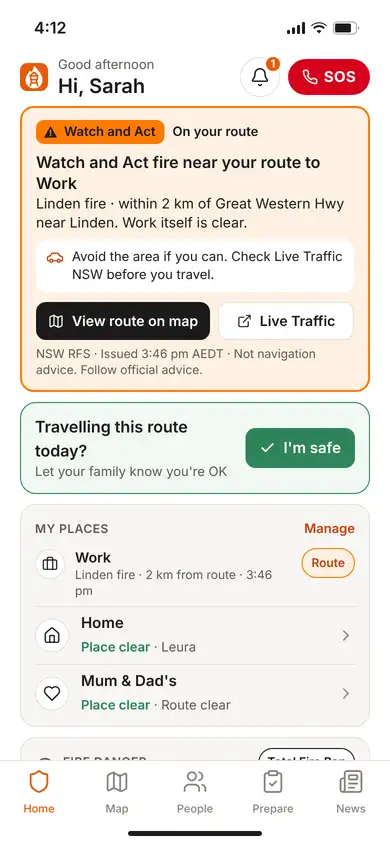
Get official warnings only when they affect you
Official agency warnings appear on one calm map. You are alerted when a warning reaches one of your places or sits on the route between them. Emergency Warnings are always sent, whatever your alert settings.
3
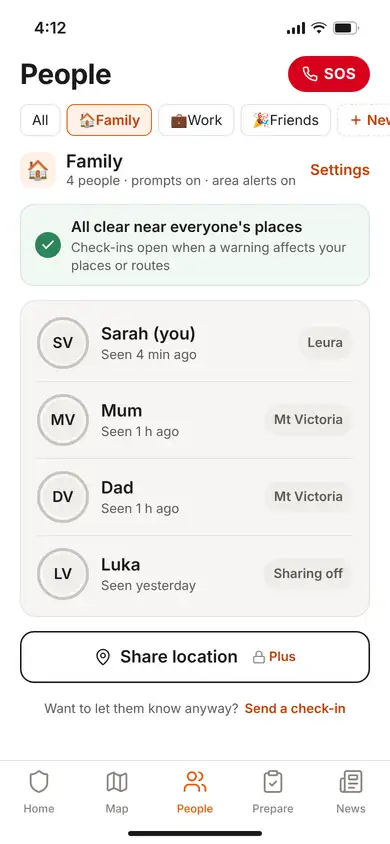
Know your family is safe
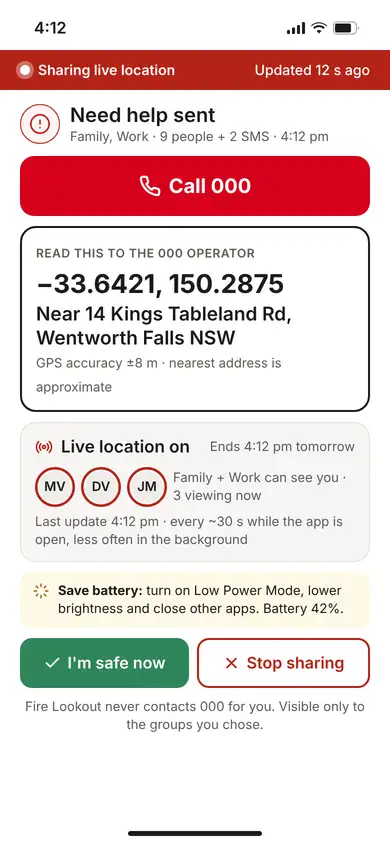
When a warning affects you, “I’m safe” appears so you can check in with one tap. Need help shares your live location with the groups you choose, free for everyone.
4
Get ready before a fire starts
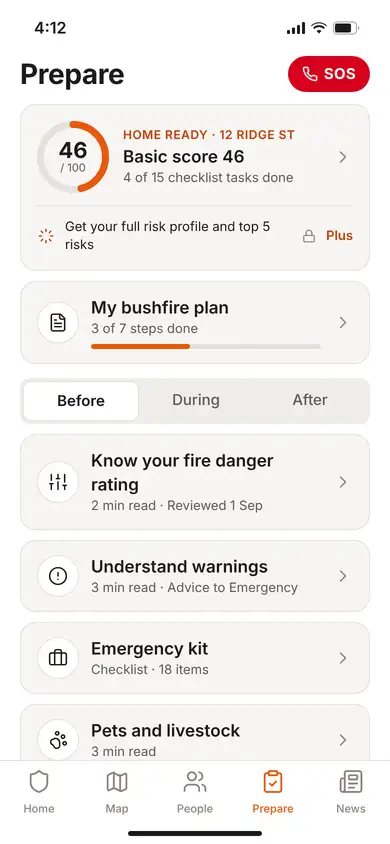
Make a bushfire plan and see a Home Ready score for your property. Know who leaves with you, where you will go, and what will make you leave, while the day is still calm.
What do the warning levels mean?
Australia uses three levels: Advice, Watch and Act, and Emergency Warning. Fire Lookout shows each one with the official colour, icon and wording. Read the full explanation on the Australian Warning System.
- Advice
A fire has started. There is no immediate danger. Stay up to date in case the situation changes.
- Watch and Act
There is a heightened level of threat. Conditions are changing and you need to start taking action.
- Emergency Warning
You are in danger and need to act immediately.
What is a fire danger rating?
A fire danger rating describes how dangerous a fire would be if one started. It is not a warning that a fire is already burning. The chip stays small and neutral so it never competes with an active warning.
- Fire danger: Moderate
- Fire danger: High
- Fire danger: Extreme
- Fire danger: Catastrophic
Total Fire Ban days appear as a neutral outlined pill. See the Australian Fire Danger Rating System.
Information comes from official state agency feeds and may be delayed. Check your state fire agency for the latest. In an emergency, call 000.
Official agency wording is never edited. Every warning shows the source, issue time and a link to the issuing agency. Feeds can be delayed. When one is stale the app flags it.